TEI Council: Update P5 subset Rationale Many of the Stylesheets’ tests generate schemas from the TEI Guidelines (using customization ODD files). This means that the test process needs to have access to a copy of P5. This in itself is not a particularly big problem — after all, there is always a copy available at https://www.tei-c.org/Vault/P5/current/xml/tei/odd/p5subset.xml. But the way many of these tests work is to compare the schema generated by the test process with the expected schema: if they are the same, the test succeeds, if there is a difference, the test fails. On the face of it, this seems a sensible way to test. If you have changed the Stylesheets, you want to make sure your changes have not altered the generated schemas, at least not in a manner you did not expect. But this means there is an brittle dependency between the Guidelines and the Stylesheets’ test process, which itself is quite fragile. Dependency To understand the dependency problem, imagine that shortly after the release of P5 version 629.514.13 we drop the datatype element from the ODD language: the possible value(s) of an attribute are expressed with a dataRef rather than a dataRef inside a datatype. (This means that dataRef would need to become a member of att.repeatable.) Once we change the Guidelines so that datatype is not an element, we need to actually remove datatype from the Guidelines, so that they remain valid. After these changes, we change the Stylesheets so that they know how to handle a dataRef, possibly with minOccurs or maxOccurs, that is a direct child of attDef. If we try to test the Stylesheets against P5 v. 629.514.13 (or any previous version) there will definitionally be no cases of a dataRef without datatype in the base ODD, because in that version of the Guidelines a dataRef was required to be inside a datatype. So (as long as we did not remove the code that handles a dataRef inside a datatype) the Stylesheets tests may not fail, but neither will they exercise our new code, that which we most need to test. So we need to tell the Stylesheets to use the new version of the Guidelines (v. 629.515.0α) as the base ODD. The way we do this is just to put a copy of the new version of the Guidelines into the Stylesheets repository. Fragility Because the test procedure involves comparing two schemas (the actual output generated by the test, and the output that is expected from the test) using a string comparison tool, even very minor changes to the Guidelines may cause a test to fail. In fact, because the glosses and descriptions of XML constructs are included in the output schemas (so that tools like oXygen can make use of them), there are revisions that do not change the actual XML defined by the schema, but nonetheless will cause a test to fail. Example 1 If the description of the constraint element were corrected from the formal rules of a constraint to contains the formal rules of a constraint., every test that involves creating a schema that contains the constraint element would fail. Example 2 If the content model of the foo element were simplified from

<sequence>
  <elementRef key="bar"/>
  <elementRef key="bar"/>
  <elementRef key="bar" undefined="0" undefined="unbounded"/>
</sequence>            
            
to just

<elementRef key="bar" undefined="2" undefined="unbounded"/>            
            
the same set of documents (those that have two or more bar elements as children of each foo) would be valid against the new schema. But since the actual grammar is different — it now has bar, bar+ where it used to have bar, bar, bar*, the test would fail.
Solution Since the Stylesheets are tested against a specific version of the Guidelines, it is very helpful to have a (more or less) up-to-date copy of the Guidelines in the Stylesheet repository. If nothing else, this minimizes the possibility of testing with the wrong version of P5. Thus we store a copy of the Guidelines in a file called p5subset.xml in the source/ directory. Just building the Guidelines in the TEI repository does not put a new copy of p5subset.xml into the Stylesheets/source/ directory. The file needs to be manually copied over, hence these instructions for doing so. This task is typically performed at least monthly by a Council member.
Step-by-Step Instructions: Update your local copies of both the TEI and Stylesheets repositories. Get the p5subset.xml by completing either step 2.1 or 2.2: from a fresh build of the P5 dev branch (preferably on Jenkins, at a URL such as https://jenkins.tei-c.org/job/TEIP5-dev/lastSuccessfulBuild/artifact/P5/release/xml/tei/odd/p5subset.xml) Navigate to https://jenkins.tei-c.org/job/TEIP5-dev/lastSuccessfulBuild/artifact/P5/release/xml/tei/odd/p5subset.xml Right click and select Save As. Check that the Save as type: field is XML Document. Save the p5subset.xml file to the TEI/P5 directory. build the p5subset locally: use your local copy of the P5 dev branch or install via docker Start the TEI docker container change to the TEI/P5 directory: cd [relative path to TEIC/TEI/ directory]/P5. For example, cd /tei/TEI/P5 run make clean test. Note: The purpose of the clean command is to clean your repository of any previously generated files Change to the Stylesheets dev branch: cd ../.. cd Stylesheets Update the version of the p5subset.xml in the Stylesheets/source/ directory in the Stylesheets dev branch: cp -p [relative path to TEIC/TEI/ directory]/P5/p5subset.xml source/p5subset.xml. For example, if you have the TEIC/TEI repo in ~/TEICouncil/repos/TEI/ and the TEIC/Stylesheets repo in ~/TEICouncil/repos/Stylesheets/, you would issue: $ cd ~/TEICouncil/Stylesheets/ $ cp -p ../P5/p5subset.xml source/p5subset.xml Run Test2 to make sure that the results are as expected (run in the docker image if you are using the docker approach): If you are using Docker, make sure you are in the tei/Stylesheets directory first: cd tei/Stylesheets Change directory to Test2: $ cd Test2 Once you are in Test2, run $ ant test If there are no errors from the Test2 process, proceed to the Test/ process outlined in steps 5 and 6. If there are errors from the Test2 process, complete steps 4.1 to 4.6: The vast majority of all errors from Test2 will be “diff errors”, i.e. a difference between a file generated from processing with the new p5subset (in the Test2/outputFiles/ directory) and the corresponding file that had previously been generated from processing with the old p5subset (in the expected-results/ directory). If the process stops with an error that is not a diff error, notice whether it's due to something failing to load that the testing process requires. If that's the case, read the error message carefully and see if you can figure out what's failing (and reach out to Council members for help). See the Troubleshooting section, below for an example failure of the ant process and a simple fix. In the case of a diff error, examine the differences generated. If the differences are what you would expect given the change in P5 (which is by far the most common case), just copy the output file to be the new expected results file. For example, if one of the changes made to P5 was to add an English gloss for mentioned, a diff error would be entirely expected. It would look like
 [echo] about to compare files: [echo] inFile
                      otherFile = [path]/Test2/outputFiles/testPure1.rng
                      [path]/Test2/expected-results/testPure1.rng [echo] ERROR: DIFF
                      FAILURE… [exec] output: <a:documentation
                      xmlns:a="http://relaxng.org/ns/compatibility/annotations/1.0">(mentioned)
                      contains a specialized form of heading or label, giving the name of one or
                      more speakers in a dramatic text or fragment. [3.13.2. Core Tags for
                      Drama]</a:documentation> [exec] expect: <a:documentation
                      xmlns:a="http://relaxng.org/ns/compatibility/annotations/1.0">contains a
                      specialized form of heading or label, giving the name of one or more speakers
                      in a dramatic text or fragment. [3.13.2. Core Tags for
                      Drama]</a:documentation> [exec] Result: 1 BUILD FAILED
                      [path]/Test2/build.xml:541: The following error occurred while executing this
                      line: [path]/Test2/build_odd.xml:44: The following error occurred while
                      executing this line: [path]/Test2/build_odd.xml:103: The following error
                      occurred while executing this line: [path]/Test2/build_utilities.xml:148:
                      The following error occurred while executing this line:
                      [path]/Test2/build_utilities.xml:210: Build failed because of differences
                      between [path]/Test2/outputFiles/testPure1.rng and
                      [path]/Test2/expected-results/testPure1.rng. See diff output above. 
You can quickly look at the differences (“(mentioned)” was inserted), and realize that is an appropriate change. So to fix this error you just copy the actual output file to be the new expected file. Note: The 2nd line of the output is specifically designed to make executing the desired copy command easy. (You can copy everything after the “=”, type “cp -p” on the command line and then paste in the paths you just copied: $ cp -p [path]/Test2/outputFiles/testPure1.rng [path]/Test2/expected-results/testPure1.rng The “-p” switch is optional — it just gives the copy the same timestamp and permissions as the original.)
If the error is either a diff error you would not have expected, or worse a different kind of error completely, fix it. Note: Fixing the error might be trivially easy or might take weeks of work from half a dozen different people. For example, if the diff errors are caused by character recognition issues, the diff output would look like
[echo] about to
                    compare files: [echo] inFile otherFile =
                    /tei/Stylesheets/Test2/outputFiles/testAttValQuantInvalidInstanceRngMessages.txt
                    /tei/Stylesheets/Test2/expected-results/testAttValQuantInvalidInstanceRngMessages.txt
                    [echo] ERROR: DIFF FAILURE... [exec] output:
                    /invalidInstances/testAttValQuantInvalidInstance.xml:34:321: error: element
                    "att_quant:test" missing required attribute "req_0?" [exec] output:
                    /invalidInstances/testAttValQuantInvalidInstance.xml:35:321: error: element
                    "att_quant:test" missing required attribute "req_0?" [exec] expect:
                    /invalidInstances/testAttValQuantInvalidInstance.xml:34:321: error: element
                    "att_quant:test" missing required attribute "req_0??" [exec] expect:
                    /invalidInstances/testAttValQuantInvalidInstance.xml:35:321: error: element
                    "att_quant:test" missing required attribute "req_0??" [exec] output:
                    /invalidInstances/testAttValQuantInvalidInstance.xml:40:321: error: element
                    "att_quant:test" missing required attribute "req_1?" [exec] output:
                    /invalidInstances/testAttValQuantInvalidInstance.xml:41:321: error: element
                    "att_quant:test" missing required attribute "req_1?" [exec] expect:
                    /invalidInstances/testAttValQuantInvalidInstance.xml:40:321: error: element
                    "att_quant:test" missing required attribute "req_1??" [exec] expect:
                    /invalidInstances/testAttValQuantInvalidInstance.xml:41:321: error: element
                    "att_quant:test" missing required attribute "req_1??" [exec] output:
                    /invalidInstances/testAttValQuantInvalidInstance.xml:46:321: error: element
                    "att_quant:test" missing required attribute "req_2?" [exec] output:
                    /invalidInstances/testAttValQuantInvalidInstance.xml:47:321: error: element
                    "att_quant:test" missing required attribute "req_2?" [exec] expect:
                    /invalidInstances/testAttValQuantInvalidInstance.xml:46:321: error: element
                    "att_quant:test" missing required attribute "req_2??" [exec] expect:
                    /invalidInstances/testAttValQuantInvalidInstance.xml:47:321: error: element
                    "att_quant:test" missing required attribute "req_2??" [exec] output:
                    /invalidInstances/testAttValQuantInvalidInstance.xml:58:321: error: value of
                    attribute "req_1?" is invalid; missing token; must be a string matching the
                    regular expression "[^\p{C}\p{Z}]+" [exec] expect:
                    /invalidInstances/testAttValQuantInvalidInstance.xml:58:321: error: value of
                    attribute "req_1??" is invalid; missing token; must be a string matching the
                    regular expression "[^\p{C}\p{Z}]+" [exec] output:
                    /invalidInstances/testAttValQuantInvalidInstance.xml:59:321: error: value of
                    attribute "opt_1?" is invalid; missing token; must be a string matching the
                    regular expression "[^\p{C}\p{Z}]+" [exec] expect:
                    /invalidInstances/testAttValQuantInvalidInstance.xml:59:321: error: value of
                    attribute "opt_1??" is invalid; missing token; must be a string matching the
                    regular expression "[^\p{C}\p{Z}]+" [exec] output:
                    /invalidInstances/testAttValQuantInvalidInstance.xml:64:321: error: value of
                    attribute "req_2?" is invalid; missing token; must be a string matching the
                    regular expression "[^\p{C}\p{Z}]+" [exec] expect:
                    /invalidInstances/testAttValQuantInvalidInstance.xml:64:321: error: value of
                    attribute "req_2??" is invalid; missing token; must be a string matching the
                    regular expression "[^\p{C}\p{Z}]+" [exec] output:
                    /invalidInstances/testAttValQuantInvalidInstance.xml:65:321: error: value of
                    attribute "opt_2?" is invalid; missing token; must be a string matching the
                    regular expression "[^\p{C}\p{Z}]+" [exec] expect:
                    /invalidInstances/testAttValQuantInvalidInstance.xml:65:321: error: value of
                    attribute "opt_2??" is invalid; missing token; must be a string matching the
                    regular expression "[^\p{C}\p{Z}]+" [exec] output:
                    /invalidInstances/testAttValQuantInvalidInstance.xml:72:345: error: element
                    "att_quant:test" missing required attribute "req_2?" [exec] expect:
                    /invalidInstances/testAttValQuantInvalidInstance.xml:72:345: error: element
                    "att_quant:test" missing required attribute "req_2??" [exec] output:
                    /invalidInstances/testAttValQuantInvalidInstance.xml:73:345: error: element
                    "att_quant:test" missing required attribute "req_2?" [exec] expect:
                    /invalidInstances/testAttValQuantInvalidInstance.xml:73:345: error: element
                    "att_quant:test" missing required attribute "req_2??" [exec] output:
                    /invalidInstances/testAttValQuantInvalidInstance.xml:74:345: error: element
                    "att_quant:test" missing required attribute "req_2?" [exec] expect:
                    /invalidInstances/testAttValQuantInvalidInstance.xml:74:345: error: element
                    "att_quant:test" missing required attribute "req_2??" [exec] output:
                    /invalidInstances/testAttValQuantInvalidInstance.xml:75:345: error: element
                    "att_quant:test" missing required attribute "req_2?" [exec] expect:
                    /invalidInstances/testAttValQuantInvalidInstance.xml:75:345: error: element
                    "att_quant:test" missing required attribute "req_2??" [exec] output:
                    /invalidInstances/testAttValQuantInvalidInstance.xml:76:345: error: element
                    "att_quant:test" missing required attribute "req_2?" [exec] expect:
                    /invalidInstances/testAttValQuantInvalidInstance.xml:76:345: error: element
                    "att_quant:test" missing required attribute "req_2??" [exec] output:
                    /invalidInstances/testAttValQuantInvalidInstance.xml:77:345: error: element
                    "att_quant:test" missing required attribute "req_2?" [exec] expect:
                    /invalidInstances/testAttValQuantInvalidInstance.xml:77:345: error: element
                    "att_quant:test" missing required attribute "req_2??"
                  
To resolve this error, simply run the command below and re-attempt running ant test in Test2 (see steps 3.2 and 3.3): export LC_ALL=C.UTF-8; export LANG=C.UTF-8
When you solve a "diff" error, re-attempt running ant test again until the build is successful (returns no errors). After all the errors have been fixed in Test2/, move on to Test/. Note: Step 6 is an alternative approach for completing Test/. (See Step 5 vs. Step 6 below for an overview and explanation of the different approaches). switch to the main directory (cd ../Test will do, if you are still in Test2/ from step 4) run either make or time make. (See Faster testing, below, for using the –jobs switch to expedite the make process). check the errors (the make file stops after each error). Note: If there is no error, the process is complete. When there is an error, you will find a diff of the relevant file from the actual-results/ folder and the expected-results/ folder. In case the output is not as expected (i.e., the difference is a real problem, rather than just an expected difference from changes made to p5subset), fix the error. In case the output is as expected, copy the file from actual-results/ to expected-results/. As with the Test2/ case, you can copy and paste the correct paths from the error message. It looks like “then diff actual-results/test.rng expected-results/test.rng;”. You just need to replace the initial “then diff” with “cp -p” (and, depending on your shell, you may need to delete the ending semicolon). For example: $ cp -p Test/actual-results/test.rng Test/expected-results/test.rng Once the expected-results/ file has been updated (either by completing step 5.5 or 5.6), re-attempt step 5.2. When the Test/ build process is successful, continue to step 7. Alternative to step 5: If you are quite comfortable on the commandline and facile with a text editor, you might prefer to run all the tests in Test/ at once and test the outputs yourself, rather than have the make command test the outputs, because it stops after the first error. (Remember that a lot of what the Makefile does is transform a test file using the Stylesheets and then compare the actual output of that command to a file which contains the expected output of that command. These comparisons are done using the diff command.) If you ask it nicely, the make command will just generate the outputs, and defer the actual testing of them (by diffing them with the corresponding expected output). This means that running make is dramatically faster, but it does not do all the work, you have to do some of it. To do this: Make sure you are in the Test/ directory. run $ time make DIFFEND=1 or, if you want to try to use multiple threads, run: $ time make DIFFEND=1 --jobs=`nproc 2>/dev/null || echo 1` -Oline To see the actual filenames being diffed, add the “-C0” switch: make DIFFEND=1 -C0 When the Makefile has run a transformation, instead of comparing the actual output of that transformation to the expected output, it will say something like “==deferring: ` diff actual-results/test27.html expected-results/test27.html `”. Once the make command is complete, you now need to perform all those comparisons yourself. Luckily, this is designed to be relatively easy. E.g., each message that reports a diff command that has not been executed is preceded with “==” at the beginning of the line (and no other output from the Makefile starts with “==” at the beginning of the line). Copy the output from the make DIFFEND=1 command into your favorite text editor. Delete all lines that do not start with “==”. Remove the “==deferring: `” from the beginning of each line. Remove the “`” from the end of each line. Insert “#! /bin/bash” as a 1st line. Save this file as diffnow_erase_me_soon.bash or choose an equally recognisable filename so you can easily find and delete it once finished. Change the mode of this new file to be executable (i.e., chmod a+x diffnow_erase_me_soon.bash). Run it (i.e. ./diffnow_erase_me_soon.bash). If Test/ is successful (returns zero mis-matches) or if you have fixed all the mis-matches manually following step 6, commit the change with the following command: git commit -a -m “update p5 subset” A prompt to add any untracked files to the commit will be generated. Ignore the prompt to add the untracked files to the commit. Push the commit to dev with the command: git push The git push command will generate the correct command to push the changes to the main branch. The generated command will start with git push --set-upstream origin. Copy and paste the generated command to push your changes.
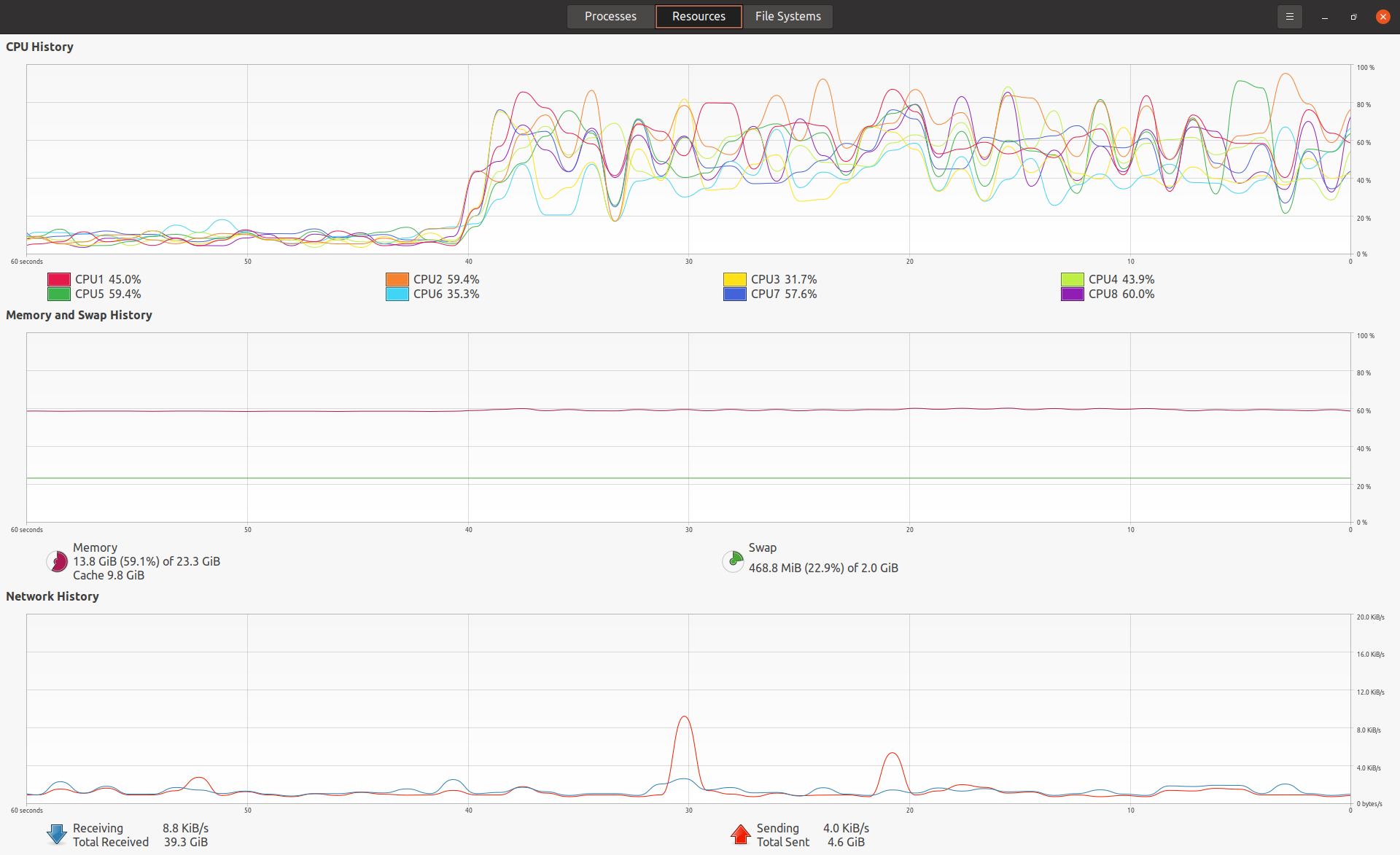
Addenda Step 5 vs. Step 6 Following step 5, each actual result is generated in turn and compared to the expected result. The first time there is a mis-match, the whole process fails. You need to fix the mis-match and start again from step 5.2. Following step 6, all actual results are generated first, and then compared to the expected results afterwards. Thus the make process does not fail for a mis-match, but you have to manually find and fix the mis-matches on your own. If there are only a very few mis-matches, step 5 is the better way to go. If there are lots of mis-matches, step 6 is harder, but a lot faster. Of course, you have no way of knowing the number of mis-matches for sure until you are done, unfortunately. Faster testing Note: Recommendations by Syd Bauman. One of the reasons the test procedure in Stylesheets/Test2/ is dramatically faster than the one in Stylesheets/Test/ is that it is, by default, run in parallel.(ant test​ runs them in parallel; if you want them in series (likely because the order of messages was confusing when run in parallel) use ant testSeries​.)(There are other reasons, like it is written to be less redundant, and the JVM is only spun up once, rather than once for every test.) You can also ask the make​ command to run multiple jobs at once. The switches that control this are --jobs= and --output-sync=. I just tried an experiment, comparing how long it took to run make​ vs make --jobs=7 --output-sync=lines. (I chose 7 because my system has 8 threads, and I wanted to have some CPU available. What little I have found on the web seems to suggest I may as well go ahead and use 8.) The result was faster, although not even close to 7 times faster: down to 03:32 from 04:36. I compared the output of the 2 commands, and they were identical. On GNU/Linux, at least, the nproc​ command will tell you how many threads are available. Thus using the command $ make --jobs=`nproc 2>/dev/null || echo 1` -Oline seems to make sense to me. (-O is shorthand for --output-sync=​.) It is also possible to get the Makefile to do that on its own. My first thought is that might not be such a good idea, because you may want to run with --jobs=1 in order to force error messages into the right order. (I.e., in case -Oline wasn’t good enough.) I ran the experiment again, this time using --jobs=8 and getting screen captures of the process monitor roughly 40 s after the make command started.(For evidence as to why the --jobs switch expedites the make​ process, see Screenshot_of_make_process_monitor_2022-04-05T12:07:52.png and Screenshot_of_make_-j_process_monitor_2022-04-05T12:12:32.png ) The timing results were very similar (down to 03:36 from 04:36), but the order of output lines was different. (Same output; i.e., they were identical after sorting and removing timestamps.) So I think anyone running the Stylesheets test process would do well to use the --jobs switch. You could use any of
 -j 8 # if you know you
                have 8 threads, e.g.  --jobs=`nproc` # if you know the nproc command works on
                your system  -j `nproc 2> /dev/null || echo 1​` # if there is a chance nproc
                fails, # so it defaults to '1' 
Troubleshooting Test 2: What if the ant process fails because some necessary dependency is missing? For example, you may see an error message like this:
A class needed by class org.apache.fop.tools.anttasks.Fop cannot be found:
              org/apache/commons/logging/Log using the classloader
              AntClassLoader[/YOUR/FILEPATH/TO/TEIC/Stylesheets/lib/fop-2.6/fop/lib/jeuclid-core-3.1.9.jar:/YOUR/FILEPATH/TO/TEIC/Stylesheets/lib/fop-2.6/fop/lib/jeuclid-fop-3.1.9.jar:/Users/eeb4/Documents/GitHub/TEIC/Stylesheets/lib/fop-2.6/fop/build/fop-hyph.jar:/Users/eeb4/Documents/GitHub/TEIC/Stylesheets/lib/fop-2.6/fop/build/fop.jar
This signals that a dependency is missing or corrupted. In our example, fop-2.6 is a directory generated by ant while it is running a jar dependency. Perhaps a network connection was interrupted somehow or the process didn't complete as it was supposed to do. The simplest way to correct this is to delete the fop-2.6 directory, and return to Test2 and run “ant test” again. This lets ant pull in a clean copy of the missing dependency.